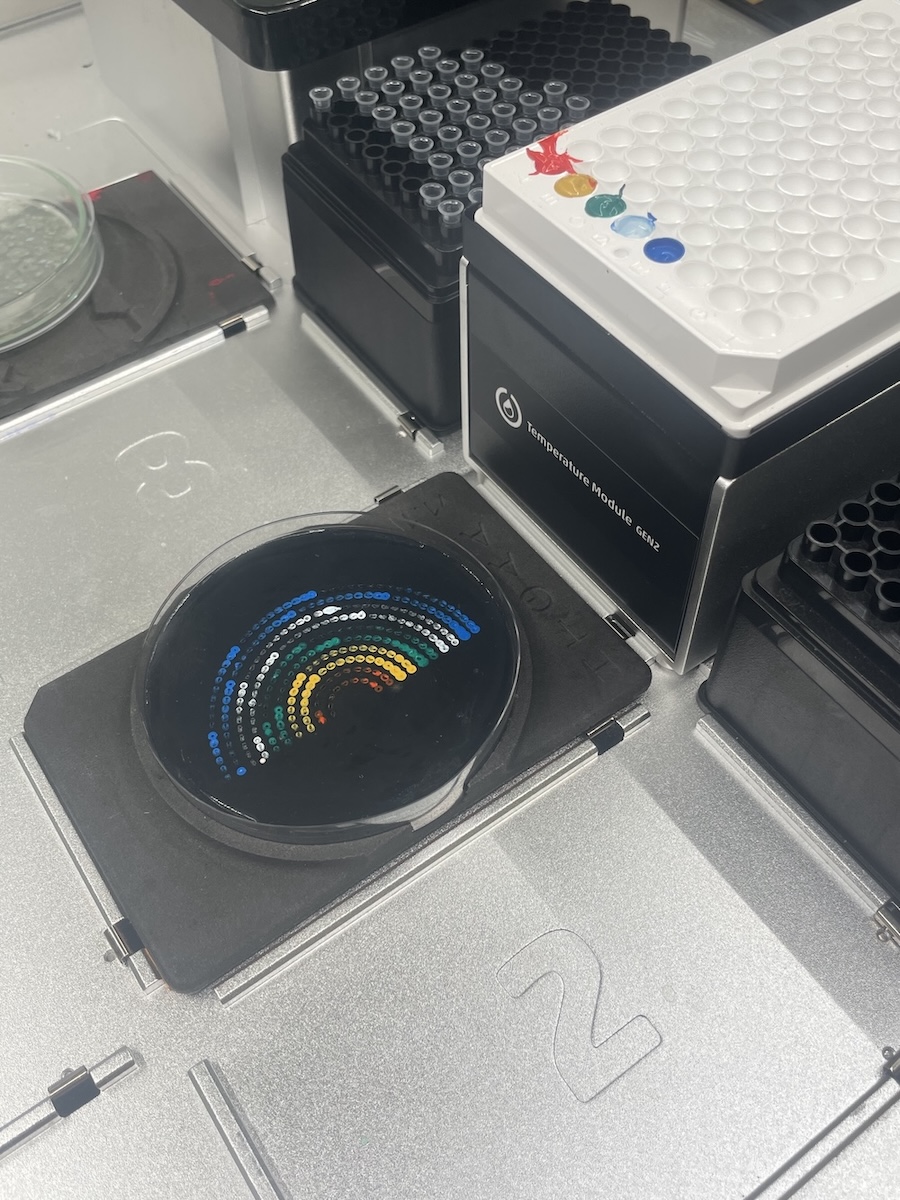
I was able to run my opentron script of a rainbow at Lifefabs Institute last year, using paint instead of bacteria.
I’m adding a couple images and short video of the process.
Python Code
This is the code that I used to run my protocol.
fromopentronsimporttypesimportmathmetadata={# see https://docs.opentrons.com/v2/tutorial.html#tutorial-metadata'author':'Elsa Donovan','protocolName':'HGTAA Opentrons Lab','description':'The protocol will pipette 4 different types of genetically engineered e. coli bacteia into a rainbow design.','source':'HTGAA 2025 Opentrons Lab','apiLevel':'2.20'}################################################################################# Robot deck setup constants - don't change these##############################################################################TIP_RACK_DECK_SLOT=9COLORS_DECK_SLOT=6AGAR_DECK_SLOT=5PIPETTE_STARTING_TIP_WELL='A1'well_colors={'A1':'Red','B1':'Yellow','C1':'Green','D1':'Cyan','E1':'Blue'# if in a 24-well plate, this needs to be moved to e.g. D2}defrun(protocol):################################################################################# Load labware, modules and pipettes############################################################################### Tipstips_20ul=protocol.load_labware('opentrons_96_tiprack_20ul',TIP_RACK_DECK_SLOT,'Opentrons 20uL Tips')# Pipettespipette_20ul=protocol.load_instrument("p20_single_gen2","right",[tips_20ul])# Modulestemperature_module=protocol.load_module('temperature module gen2',COLORS_DECK_SLOT)# Temperature Module Platetemperature_plate=temperature_module.load_labware('opentrons_96_aluminumblock_generic_pcr_strip_200ul','Cold Plate')# Choose where to take the colors fromcolor_plate=temperature_plate# Agar Plateagar_plate=protocol.load_labware('htgaa_agar_plate',AGAR_DECK_SLOT,'Agar Plate')## TA MUST CALIBRATE EACH PLATE!# Get the top-center of the plate, make sure the plate was calibrated before running thiscenter_location=agar_plate['A1'].top()pipette_20ul.starting_tip=tips_20ul.well(PIPETTE_STARTING_TIP_WELL)################################################################################# Patterning#################################################################################### Helper functions for this lab#### pass this e.g. 'Red' and get back a Location which can be passed to aspirate()deflocation_of_color(color_string):forwell,colorinwell_colors.items():ifcolor.lower()==color_string.lower():returncolor_plate[well]raiseValueError(f"No well found with color {color_string}")# For this lab, instead of calling pipette.dispense(1, loc) use this: dispense_and_jog(pipette, 1, loc)defdispense_and_jog(pipette,volume,location):"""
Dispense and then move up 5mm to shake all dispensed fluid off the tip;
move back down to touch the agar to try to make sure the drop adheres;
then go back up 5mm to avoid smearing the drop before moving laterally.
"""assert(isinstance(volume,(int,float)))pipette.dispense(volume,location)currLoc=pipette._get_last_location_by_api_version()pipette.move_to(currLoc.move(types.Point(z=5)))pipette.move_to(currLoc)pipette.move_to(currLoc.move(types.Point(z=5)))###### YOUR CODE HERE to create your design###radius_step=3# Distance between concentric circles within a color layercolor_layer_spacing=6# Distance between different color layersnum_layers=2base_drops_per_circle=4# Drops in the first circlecolor_layer=1forcolor_nameinwell_colors.values():pipette_20ul.pick_up_tip()forlayerinrange(num_layers):radius=(layer+1+color_layer)*radius_stepdrops_per_circle=base_drops_per_circle*(color_layer+layer+1)angle_step=math.pi/drops_per_circle# only cover the top halfpipette_20ul.aspirate(10,location_of_color(color_name))foriinrange(drops_per_circle+1):ifpipette_20ul.current_volume<1:pipette_20ul.aspirate(10,location_of_color(color_name))angle=i*angle_step# restrict angle to top half (0 to pi)x_offset=radius*math.cos(angle)y_offset=radius*math.sin(angle)-10drop_location=center_location.move(types.Point(x=x_offset,y=y_offset))dispense_and_jog(pipette_20ul,1,drop_location)pipette_20ul.drop_tip()color_layer+=num_layers
Post lab questions
1. Find and describe a published paper that utilizes the Opentrons or an automation tool to achieve novel biological applications.
I’m really interested in the concept of Biofounderies. These are biospaces that use robotics, machine learning, and automation to be able to run through many protocols while reducing the possibily for human error. This article (Jun et al.) specifically mentions the ability to be able to cell-free protein synthesis quickly and efficiently. With the incorporation of automation tools (like opentrons) you can basically rapid-prototype the protein of your choice with minimal errors.
Paper:
Jun, J.S. et al. (2025). Automated and Programmable Cell-Free Systems for Scalable Synthetic Biology with a Focus on Biofoundry Integration. Journal of Microbiology and Biotechnology, 35, e2507019.
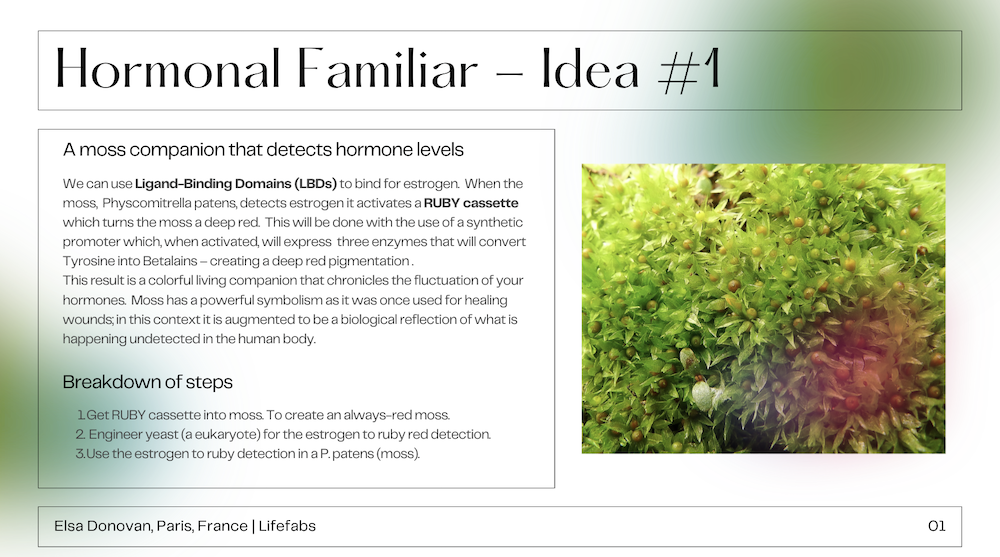
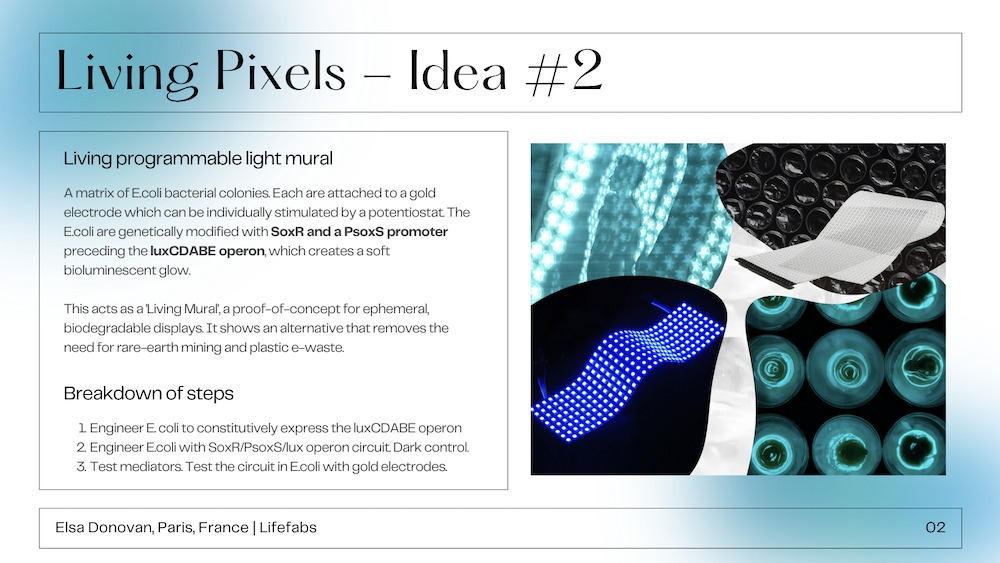
2. Write a description about what you intend to do with automation tools for your final project. You may include example pseudocode, Python scripts, 3D printed holders, a plan for how to use Ginkgo Nebula, and more. You may reference this week’s recitation slide deck for lab automation details.
I’m interested in creating a 3D printed flexible microwell array. For that I am thinking of 3D printing with TPU (like rubber) and creating custom wells like that. Alternatively I might make a classic 3D printed array and then use that as a mold for a silicone cast. The inspiration from this comes from the flexible LED light strips and I want to mimic that appearance. Of course for this I would also need a transparent or translucent flexible cover which could encapsulate the genetically altered e.coli. I might have to use something like a: Polydimethylsiloxane (PDMS) membranes – this allows gas exchanges but would keep the e.coli from leaking out if the microwell gets turned upside down or something like that.