Week 3 HW: Lab Automation
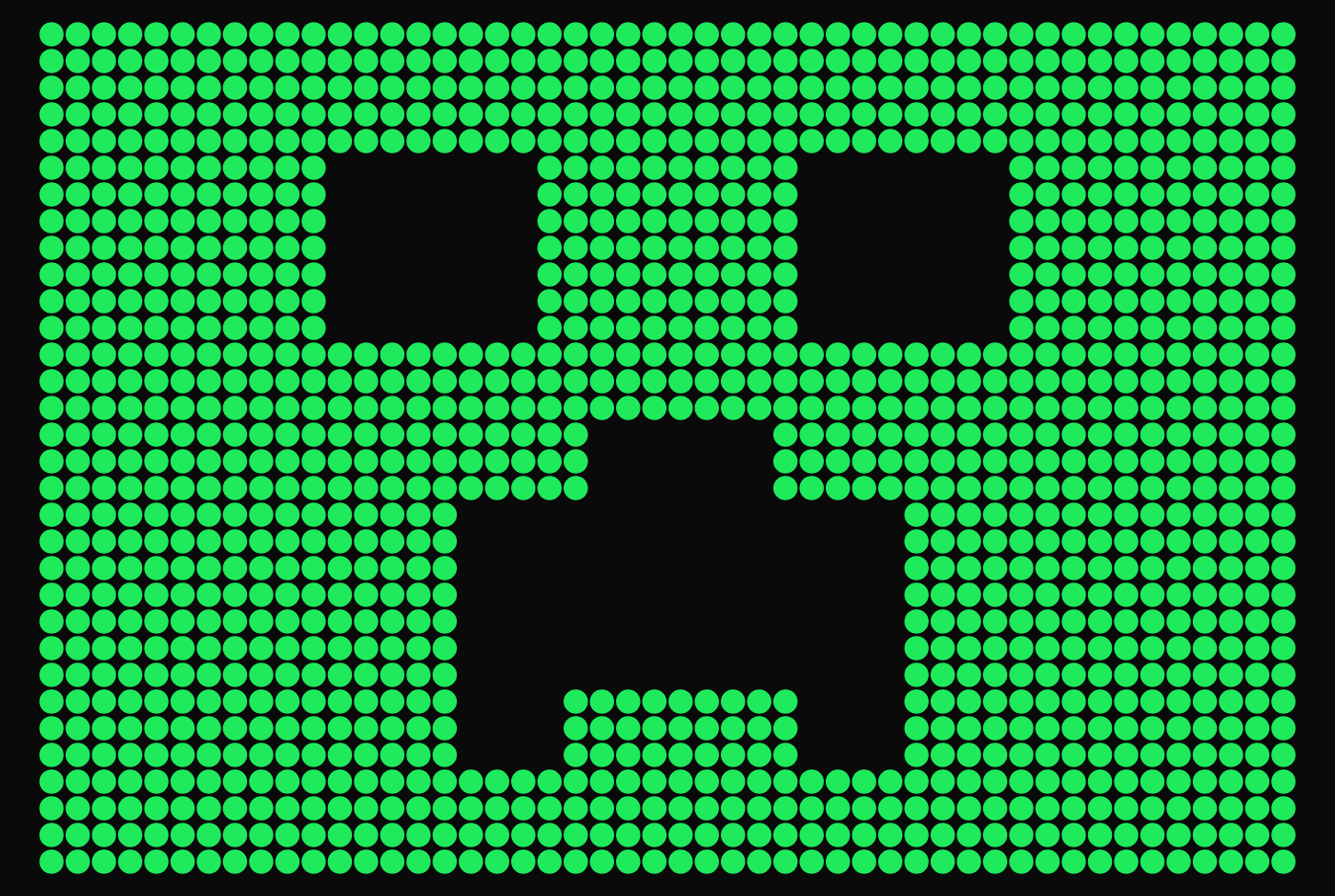
My Design on https://opentrons-art.rcdonovan.com/
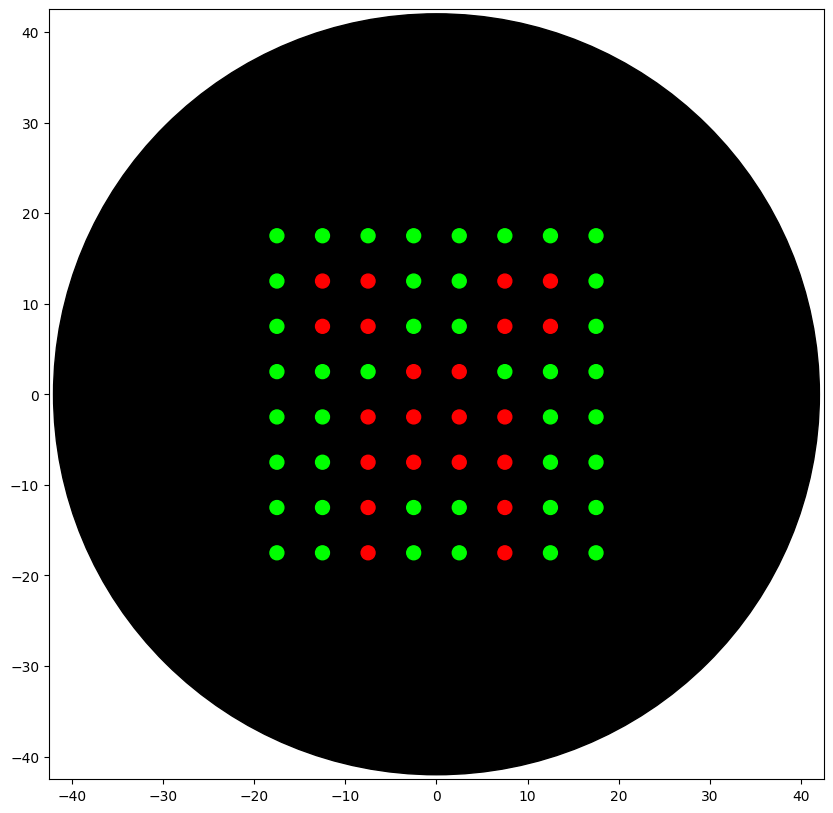
My Design on Opentrons Colab
My Opentrons instructions
from opentrons import types
metadata = { # see https://docs.opentrons.com/v2/tutorial.html#tutorial-metadata
‘author’: ‘’,
‘protocolName’: ‘HTGAA 2026 Creeper Face’,
‘description’: ‘Draw a Creeper face pixel art on agar using Green background and Red features.’,
‘source’: ‘HTGAA 2026 Opentrons Lab’,
‘apiLevel’: ‘2.20’
}
TIP_RACK_DECK_SLOT = 9
COLORS_DECK_SLOT = 6
AGAR_DECK_SLOT = 5
PIPETTE_STARTING_TIP_WELL = ‘A1’
well_colors = {
‘A1’ : ‘Red’,
‘B1’ : ‘Green’,
‘C1’ : ‘Orange’
}
def run(protocol):
Load labware, modules and pipettes
Tips
tips_20ul = protocol.load_labware(‘opentrons_96_tiprack_20ul’, TIP_RACK_DECK_SLOT, ‘Opentrons 20uL Tips’)
Pipettes
pipette_20ul = protocol.load_instrument(“p20_single_gen2”, “right”, [tips_20ul])
Modules
temperature_module = protocol.load_module(’temperature module gen2’, COLORS_DECK_SLOT)
Temperature Module Plate
temperature_plate = temperature_module.load_labware(‘opentrons_96_aluminumblock_generic_pcr_strip_200ul’,
‘Cold Plate’)
Choose where to take the colors from
color_plate = temperature_plate
Agar Plate
agar_plate = protocol.load_labware(‘htgaa_agar_plate’, AGAR_DECK_SLOT, ‘Agar Plate’) ## TA MUST CALIBRATE EACH PLATE!
Get the top-center of the plate, make sure the plate was calibrated before running this
center_location = agar_plate[‘A1’].top()
pipette_20ul.starting_tip = tips_20ul.well(PIPETTE_STARTING_TIP_WELL)
Patterning
pass this e.g. ‘Red’ and get back a Location which can be passed to aspirate()
def location_of_color(color_string):
for well,color in well_colors.items():
if color.lower() == color_string.lower():
return color_plate[well]
raise ValueError(f"No well found with color {color_string}")
For this lab, instead of calling pipette.dispense(1, loc) use this: dispense_and_detach(pipette, 1, loc)
def dispense_and_detach(pipette, volume, location):
"""
Move laterally 5mm above the plate (to avoid smearing a drop); then drop down to the plate,
dispense, move back up 5mm to detach drop, and stay high to be ready for next lateral move.
"""
assert(isinstance(volume, (int, float)))
above_location = location.move(types.Point(z=location.point.z + 5)) # 5mm above
pipette.move_to(above_location) # Go to 5mm above the dispensing location
pipette.dispense(volume, location) # Go straight downwards and dispense
pipette.move_to(above_location) # Go straight up to detach drop and stay high
YOUR CODE HERE to create your design: CREEPER FACE (8x8)
Pixel settings (keep same style as your example)
pitch = 5 # mm between pixel centers
vol = 1 # uL per pixel dot
Creeper face mask: 0 = background (Green), 1 = feature (Red)
creeper = [
[0,0,0,0,0,0,0,0],
[0,1,1,0,0,1,1,0],
[0,1,1,0,0,1,1,0],
[0,0,0,1,1,0,0,0],
[0,0,1,1,1,1,0,0],
[0,0,1,1,1,1,0,0],
[0,0,1,0,0,1,0,0],
[0,0,1,0,0,1,0,0],
]
Center the 8x8 grid around center_location
(0..7) -> offsets (-3.5..+3.5)*pitch
def pixel_location(i, j):
x = (j - 3.5) * pitch
y = (3.5 - i) * pitch
return center_location.move(types.Point(x=x, y=y))
————————-
PASS 1: GREEN background
————————-
pipette_20ul.pick_up_tip()
pipette_20ul.aspirate(16, location_of_color(‘Green’))
remaining = 16
for i in range(8):
for j in range(8):
if creeper[i][j] == 0:
if remaining < vol:
pipette_20ul.aspirate(16, location_of_color(‘Green’))
remaining = 16
dispense_and_detach(pipette_20ul, vol, pixel_location(i, j))
remaining -= vol
pipette_20ul.drop_tip()
————————-
PASS 2: RED features
————————-
pipette_20ul.pick_up_tip()
pipette_20ul.aspirate(16, location_of_color(‘Red’))
remaining = 16
for i in range(8):
for j in range(8):
if creeper[i][j] == 1:
if remaining < vol:
pipette_20ul.aspirate(16, location_of_color(‘Red’))
remaining = 16
dispense_and_detach(pipette_20ul, vol, pixel_location(i, j))
remaining -= vol
Don’t forget to end with a drop_tip()
pipette_20ul.drop_tip()