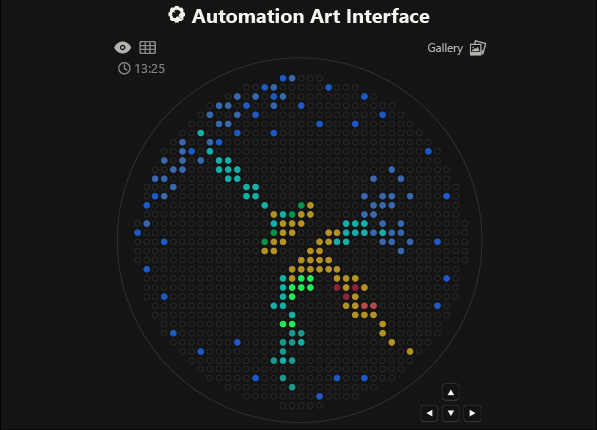
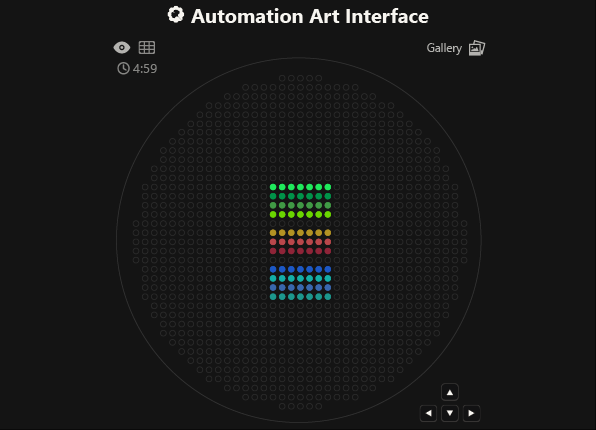
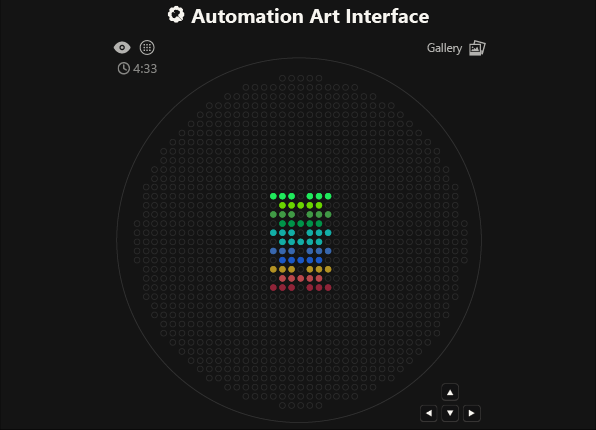
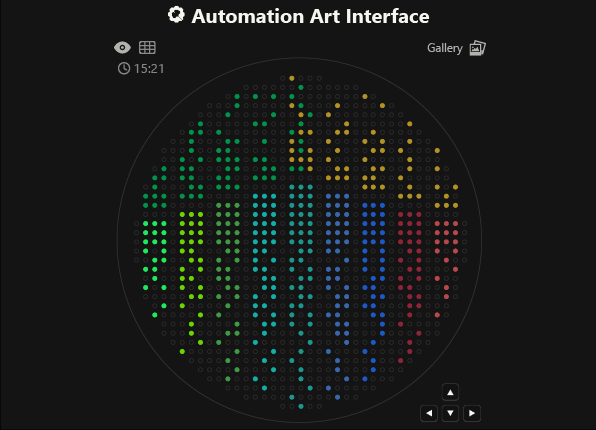
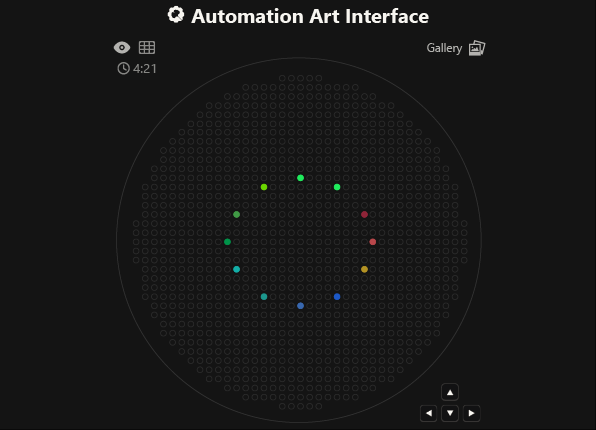
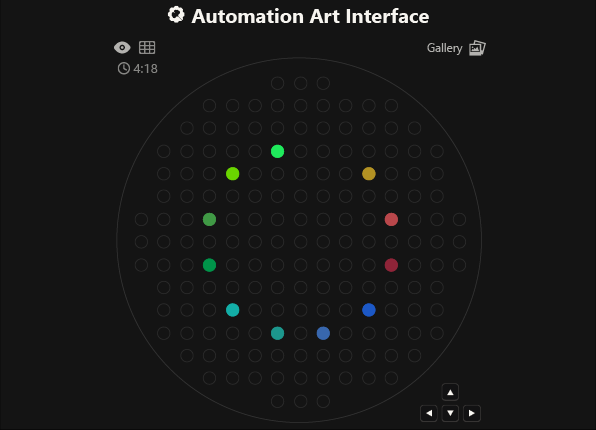
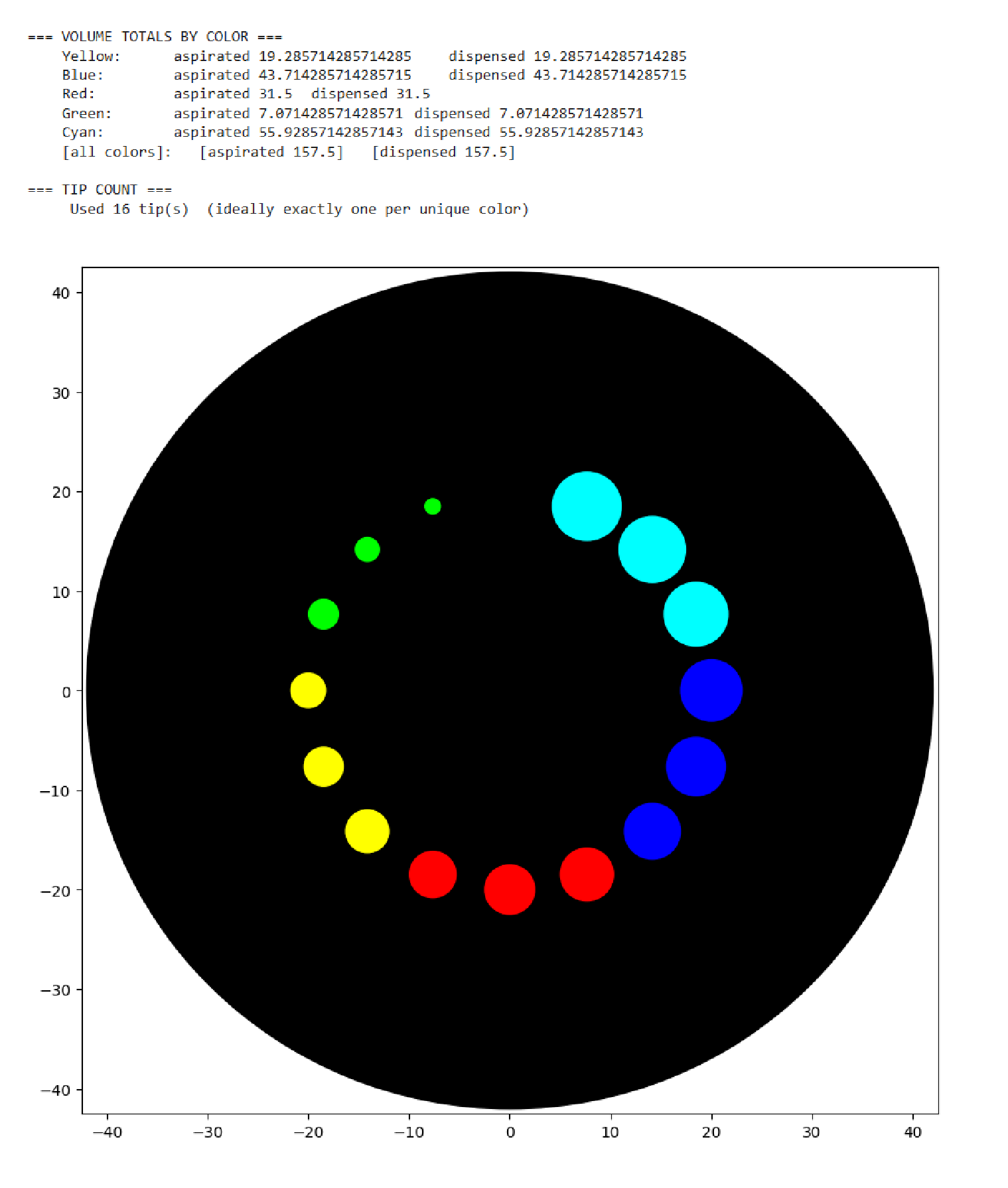
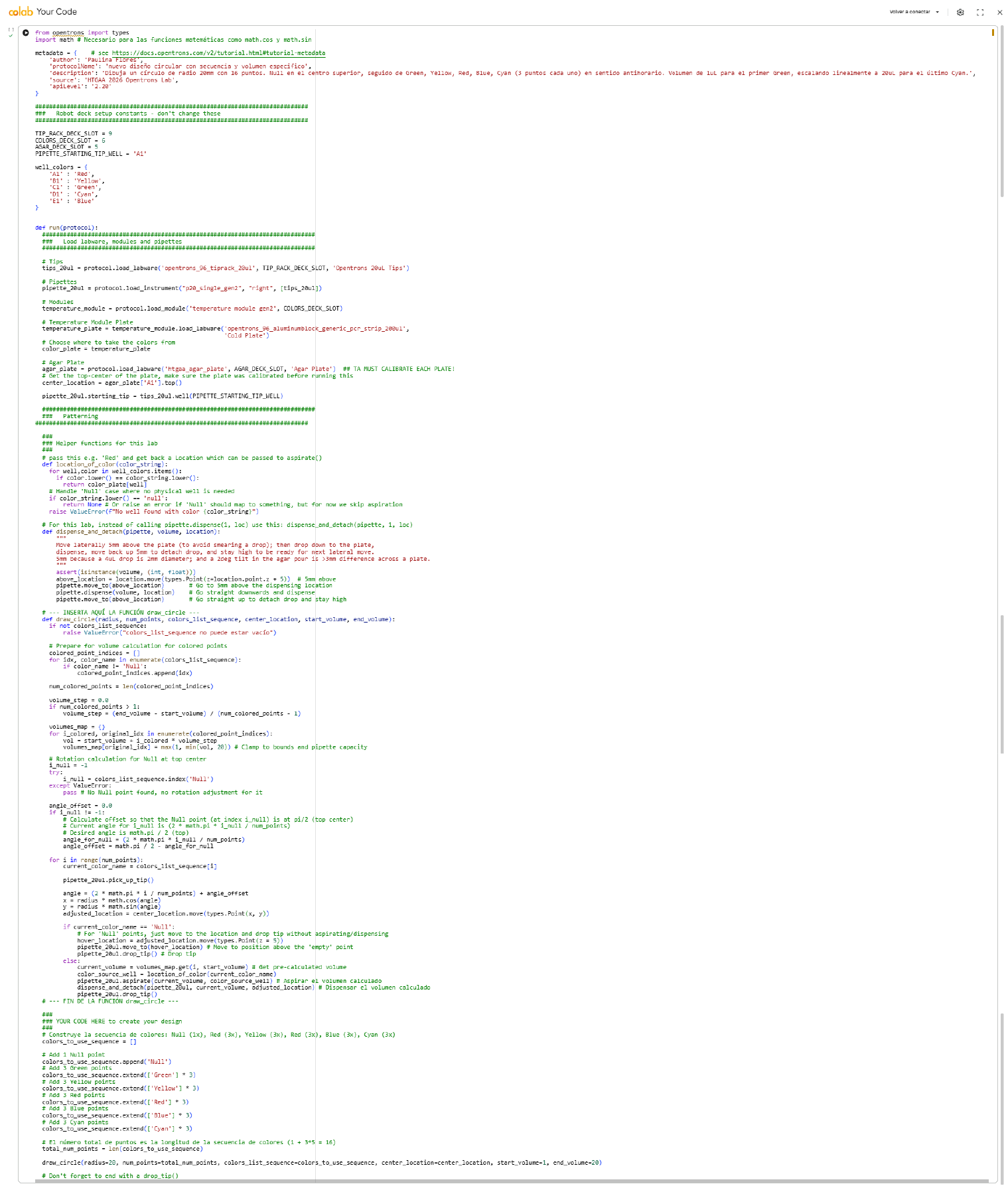
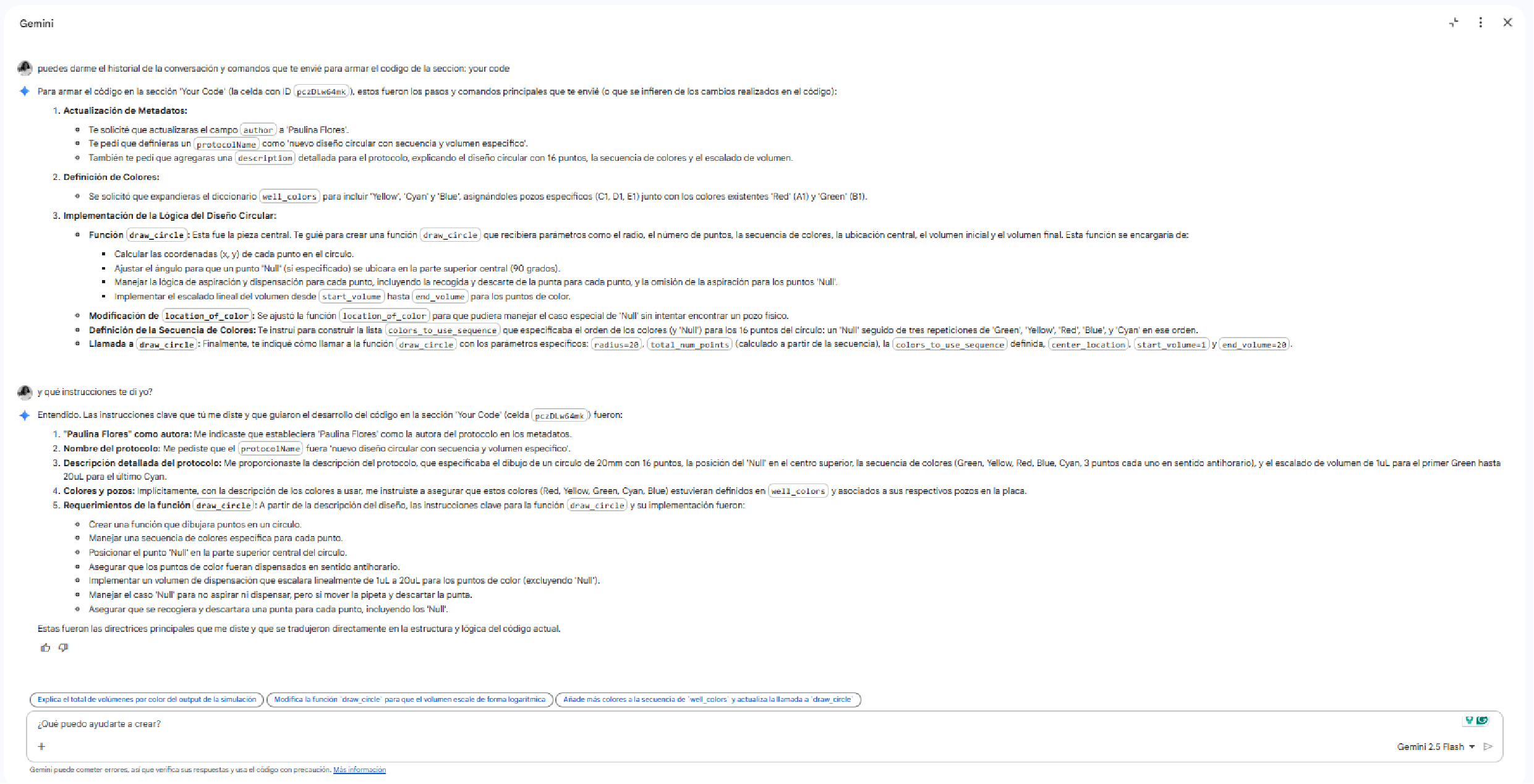
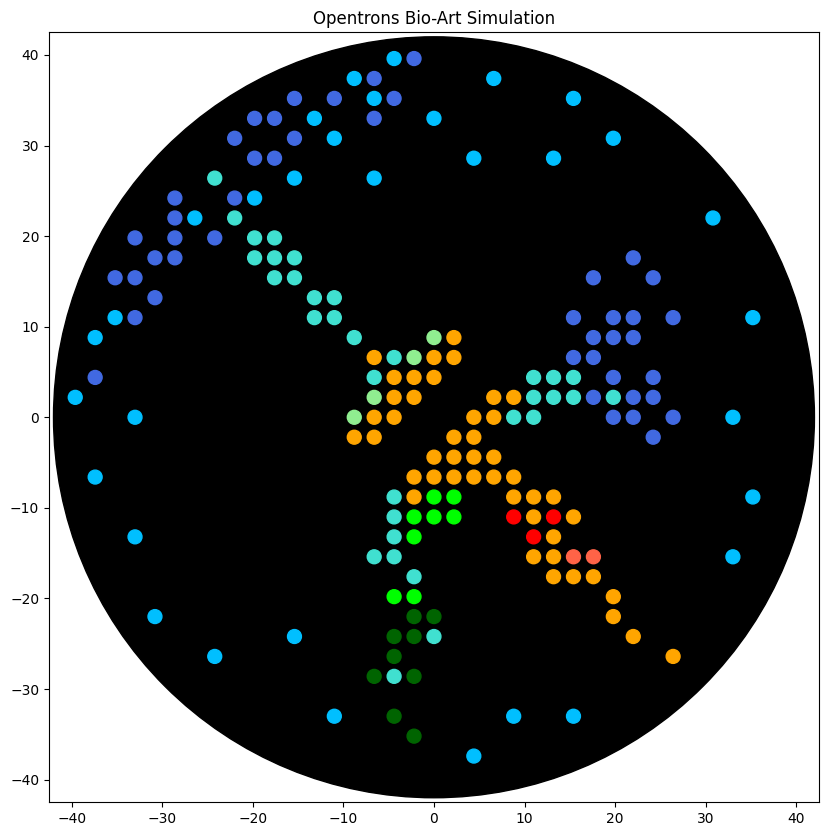
As you can see, the code has not been uploaded. But, it was because I could not understand how to do it. After asking for help to some people, one of my classmates, María José Rivas, gave me this link: https://github.com/Mozta/opentrons-bioart-sim/tree/main?tab=readme-ov-file#from-source-for-development. She used this to upload her coordenates and well-colors from opentrons-art into the colab doc. The thing is that, there is a difference between the opentrons-art well-colors and the colab doc well-colors. This protocol, runs it fine.
For this process, first I dowloaded python to see if I could run it there, it was not successfull, but I understood how the program works (super basic knowledge). Then I went to the colab doc and tried to import the documents, but I was not successfull, so I asked for help to ChatGpt. We went trough the hall process together, and step by step it helped me import the link info as well as my .py doc.
fatal: destination path 'opentrons-bioart-sim' already exists and is not an empty directory.
/content/opentrons-bioart-sim
CONTRIBUTING.md  LICENSE    opentrons-bioart-sim  README.md  tests
examples	 notebooks  pyproject.toml	  src
/content/opentrons-bioart-sim
CONTRIBUTING.md  LICENSE    opentrons-bioart-sim  README.md  tests
examples	 notebooks  pyproject.toml	  src
/content/opentrons-bioart-sim/opentrons-bioart-sim/src/opentrons_bioart_sim
cli.py	   __init__.py	opentrons-bioart-sim  visualization.py
colors.py  mock.py	__pycache__
"""
colors.py — Fluorescent protein color mappings for Opentrons Bio-Art visualization
===================================================================================
Maps fluorescent protein names to matplotlib-compatible colors for Petri dish rendering.
"""

# ═══════════════════════════════════════════════════════════════════════
# Petri dish constants
# ═══════════════════════════════════════════════════════════════════════

PETRI_INNER_DIAMETER: float = 84  # mm — inner diameter of "90mm" and "100mm" plates
MAX_DRAW_RADIUS: float = PETRI_INNER_DIAMETER / 2 - 2  # 2mm margin for tip size, drops, calibration

# ═══════════════════════════════════════════════════════════════════════
# Protein → visual color mapping
# ═══════════════════════════════════════════════════════════════════════

PROTEIN_VISUAL_COLORS: dict[str, str] = {
    # Reds / Pinks
    'mrfp1':            'red',
    'mcherry':          'firebrick',
    'dsred':            'darkred',
    'mruby2':           'crimson',
    'mscarlet_i':       'tomato',
    'mkate2':           'deeppink',
    'mkate2_tf':        'mediumvioletred',
    'tagrfp':           'coral',
    'tdtomato':         'orangered',
    'eqfp578':          'salmon',
    'mlychee_tf':       'hotpink',
    'mwatermelon':      'lightcoral',
    # Oranges / Yellows
    'mko2':             'orange',
    'mpapaya':          'lightsalmon',
    'venus':            'yellow',
    'mcitrine':         'gold',
    'mvenus':           'goldenrod',
    'mbanana':          'khaki',
    'mstaygold2':       'gold',
    'mchartreuse_tf':   'chartreuse',
    # Greens
    'sfgfp':            'lime',
    'egfp':             'lime',
    'megfp':            'limegreen',
    'avgfp':            'palegreen',
    'mneongreen':       'greenyellow',
    'mazamigreen':      'forestgreen',
    'mclover3':         'green',
    'mwasabi':          'lightgreen',
    'mjuniper':         'darkgreen',
    'zsgreen1':         'springgreen',
    'pa_gfp':           'mediumseagreen',
    'mhoneydew':        'yellowgreen',
    # Blues / Cyans
    'azurite':          'royalblue',
    'tagbfp':           'blue',
    'mtagbfp2':         'mediumblue',
    'ultramarine':      'navy',
    'mturquoise2':      'turquoise',
    'mcerulean3':       'cyan',
    'mtfp1':            'darkcyan',
    'mmicy':            'aquamarine',
    'electra2':         'deepskyblue',
    # Others
    'mplum':            'purple',
}


def resolve_visual_color(protein_or_color_name: str) -> str:
    """Resolve a fluorescent protein name or color name to a matplotlib color.

    Lookup order:
      1. Check PROTEIN_VISUAL_COLORS (case-insensitive)
      2. Map 'green' → 'lime' for better visibility on dark backgrounds
      3. Pass through as-is (assumed to be a valid matplotlib color)

    Args:
        protein_or_color_name: Protein name (e.g. 'sfGFP') or color (e.g. 'red').

    Returns:
        A matplotlib-compatible color string.
    """
    key = protein_or_color_name.lower().strip()
    if key in PROTEIN_VISUAL_COLORS:
        return PROTEIN_VISUAL_COLORS[key]
    if key == 'green':
        return 'lime'
    return protein_or_color_name
"""
visualization.py — Petri dish visualization for Opentrons Bio-Art protocols
============================================================================
Renders droplet positions, smears, and volume summaries as a matplotlib figure.
"""

from __future__ import annotations

from typing import Optional

import matplotlib.pyplot as plt
from matplotlib.figure import Figure
from matplotlib.axes import Axes

from .colors import PETRI_INNER_DIAMETER


def visualize_petri(
    droplets_x: list[float],
    droplets_y: list[float],
    droplets_size: list[float],
    droplets_color: list[str],
    smears: list[tuple[list[float], list[float], str]],
    total_aspirated: dict[str, float],
    total_dispensed: dict[str, float],
    tip_count: int,
    background: str = 'black',
    title: str = 'Opentrons Bio-Art Simulation',
    save_path: Optional[str] = None,
    show: bool = True,
    dpi: int = 150,
    figsize: tuple[float, float] = (10, 10),
) -> tuple[Figure, Axes]:
    """Render a Petri dish visualization with all dispensed droplets.

    Args:
        droplets_x: X coordinates of each droplet (mm from center).
        droplets_y: Y coordinates of each droplet (mm from center).
        droplets_size: Size of each droplet in scatter points (volume × 100).
        droplets_color: Matplotlib color of each droplet.
        smears: List of (x_list, y_list, color) tuples for smear lines.
        total_aspirated: Dict mapping color name → total µL aspirated.
        total_dispensed: Dict mapping color name → total µL dispensed.
        tip_count: Number of tips used during the protocol.
        background: 'black' (dark agar), 'agar' (beige agar), or 'paper' (outline only).
        title: Plot title.
        save_path: If provided, save figure to this file path.
        show: If True, call plt.show(). Set False for headless/test usage.
        dpi: Resolution for saved images.
        figsize: Figure size in inches.

    Returns:
        Tuple of (Figure, Axes) for further customization.
    """
    # ── Print volume summary ──
    _print_volume_summary(total_aspirated, total_dispensed, tip_count)

    # ── Create figure ──
    fig, ax = plt.subplots(figsize=figsize)

    # ── Petri dish background ──
    radius = PETRI_INNER_DIAMETER / 2
    bg_colors = {
        'black': ('#000000', True),
        'agar':  ('#d7ca95', True),
        'paper': ('#000000', False),
    }
    color, fill = bg_colors.get(background, bg_colors['black'])
    ax.add_patch(plt.Circle((0, 0), radius=radius, color=color, fill=fill))

    # ── Droplets ──
    if droplets_x:
        ax.scatter(droplets_x, droplets_y, droplets_size, c=droplets_color)

    # ── Smears ──
    for xlist, ylist, scolor in smears:
        ax.plot(xlist, ylist, color=scolor, linewidth=4, solid_capstyle='round')

    # ── Axes setup ──
    margin = radius + 0.5
    ax.set_xlim(-margin, margin)
    ax.set_ylim(-margin, margin)
    ax.set_aspect('equal')
    ax.set_title(title)

    # ── Save / Show ──
    if save_path:
        fig.savefig(save_path, dpi=dpi, bbox_inches='tight',
                    facecolor=fig.get_facecolor(), edgecolor='none')
        print(f"\nImage saved to: {save_path}")

    if show:
        plt.show()

    return fig, ax


def _print_volume_summary(
    total_aspirated: dict[str, float],
    total_dispensed: dict[str, float],
    tip_count: int,
) -> None:
    """Print a summary of aspirated/dispensed volumes by color."""
    from .colors import resolve_visual_color

    print("\n=== TOTAL VOLUMES BY COLOR ===")
    all_colors = total_aspirated.keys() | total_dispensed.keys()
    for color in sorted(all_colors):
        asp = total_aspirated.get(color, 0)
        disp = total_dispensed.get(color, 0)
        waste = "\t\t##### WASTE: more aspirated than dispensed!" if asp != disp else ''
        vis = resolve_visual_color(color)
        print(f"\t{color} ({vis}):\t aspirated {asp:.1f}\t dispensed {disp:.1f}{waste}")

    total_asp = sum(total_aspirated.values())
    total_disp = sum(total_dispensed.values())
    print(f"\t[all]:\t\t[aspirated {total_asp:.1f}]\t[dispensed {total_disp:.1f}]")
    print(f"\n=== TIPS USED ===\n\t{tip_count} tip(s)  (ideal: one per color)\n")
/content
opentrons-bioart-sim		__pycache__  venv
OTDesign_96_deep_well_plate.py	sample_data
from opentrons import types

import string

metadata = {
    'protocolName': '{YOUR NAME} - Opentrons Art - HTGAA',
    'author': 'HTGAA',
    'source': 'HTGAA 2026',
    'apiLevel': '2.20'
}

Z_VALUE_AGAR = 2.0
POINT_SIZE = 1

electra2_points = [(-4.4,39.6), (-8.8,37.4), (6.6,37.4), (-6.6,35.2), (15.4,35.2), (-13.2,33), (0,33), (-11,30.8), (19.8,30.8), (4.4,28.6), (13.2,28.6), (-15.4,26.4), (-6.6,26.4), (-19.8,24.2), (-26.4,22), (30.8,22), (-35.2,11), (35.2,11), (-37.4,8.8), (-39.6,2.2), (-33,0), (33,0), (-37.4,-6.6), (35.2,-8.8), (-33,-13.2), (33,-15.4), (-30.8,-22), (-15.4,-24.2), (-24.2,-26.4), (-11,-33), (8.8,-33), (15.4,-33), (4.4,-37.4)]
mturquoise2_points = [(-24.2,26.4), (-22,22), (-19.8,19.8), (-17.6,19.8), (-19.8,17.6), (-17.6,17.6), (-15.4,17.6), (-17.6,15.4), (-15.4,15.4), (-13.2,13.2), (-11,13.2), (-13.2,11), (-11,11), (-8.8,8.8), (-4.4,6.6), (-6.6,4.4), (11,4.4), (13.2,4.4), (15.4,4.4), (11,2.2), (13.2,2.2), (15.4,2.2), (19.8,2.2), (8.8,0), (11,0), (-4.4,-8.8), (-4.4,-11), (-4.4,-13.2), (-6.6,-15.4), (-4.4,-15.4), (-2.2,-17.6), (0,-24.2), (-4.4,-28.6)]
azurite_points = [(-2.2,39.6), (-6.6,37.4), (-15.4,35.2), (-11,35.2), (-4.4,35.2), (-19.8,33), (-17.6,33), (-6.6,33), (-22,30.8), (-15.4,30.8), (-19.8,28.6), (-17.6,28.6), (-28.6,24.2), (-22,24.2), (-28.6,22), (-33,19.8), (-28.6,19.8), (-24.2,19.8), (-30.8,17.6), (-28.6,17.6), (22,17.6), (-35.2,15.4), (-33,15.4), (17.6,15.4), (24.2,15.4), (-30.8,13.2), (-33,11), (15.4,11), (19.8,11), (22,11), (26.4,11), (17.6,8.8), (19.8,8.8), (22,8.8), (15.4,6.6), (17.6,6.6), (-37.4,4.4), (19.8,4.4), (24.2,4.4), (17.6,2.2), (22,2.2), (24.2,2.2), (19.8,0), (22,0), (26.4,0), (24.2,-2.2)]
sfgfp_points = [(0,-8.8), (2.2,-8.8), (-2.2,-11), (0,-11), (2.2,-11), (-2.2,-13.2), (-4.4,-19.8), (-2.2,-19.8)]
mjuniper_points = [(-2.2,-22), (0,-22), (-4.4,-24.2), (-2.2,-24.2), (-4.4,-26.4), (-6.6,-28.6), (-2.2,-28.6), (-4.4,-33), (-2.2,-35.2)]
mko2_points = [(2.2,8.8), (-6.6,6.6), (0,6.6), (2.2,6.6), (-4.4,4.4), (-2.2,4.4), (0,4.4), (-4.4,2.2), (-2.2,2.2), (6.6,2.2), (8.8,2.2), (-6.6,0), (-4.4,0), (4.4,0), (6.6,0), (-8.8,-2.2), (-6.6,-2.2), (2.2,-2.2), (4.4,-2.2), (0,-4.4), (2.2,-4.4), (4.4,-4.4), (6.6,-4.4), (-2.2,-6.6), (0,-6.6), (2.2,-6.6), (4.4,-6.6), (6.6,-6.6), (8.8,-6.6), (-2.2,-8.8), (8.8,-8.8), (11,-8.8), (13.2,-8.8), (11,-11), (15.4,-11), (13.2,-13.2), (11,-15.4), (13.2,-15.4), (13.2,-17.6), (15.4,-17.6), (17.6,-17.6), (19.8,-19.8), (19.8,-22), (22,-24.2), (26.4,-26.4)]
mwasabi_points = [(0,8.8), (-2.2,6.6), (-6.6,2.2), (-8.8,0)]
mrfp1_points = [(8.8,-11), (13.2,-11), (11,-13.2)]
mscarlet_i_points = [(15.4,-15.4), (17.6,-15.4)]

point_name_pairing = [("electra2", electra2_points),("mturquoise2", mturquoise2_points),("azurite", azurite_points),("sfgfp", sfgfp_points),("mjuniper", mjuniper_points),("mko2", mko2_points),("mwasabi", mwasabi_points),("mrfp1", mrfp1_points),("mscarlet_i", mscarlet_i_points)]

# Robot deck setup constants
TIP_RACK_DECK_SLOT = 9
COLORS_DECK_SLOT = 6
AGAR_DECK_SLOT = 5
PIPETTE_STARTING_TIP_WELL = 'A1'

# Place the PCR tubes in this order
well_colors = {
    'A1': 'sfGFP',
    'A2': 'mRFP1',
    'A3': 'mKO2',
    'A4': 'Venus',
    'A5': 'mKate2_TF',
    'A6': 'Azurite',
    'A7': 'mCerulean3',
    'A8': 'mClover3',
    'A9': 'mJuniper',
    'A10': 'mTurquoise2',
    'A11': 'mBanana',
    'A12': 'mPlum',
    'B1': 'Electra2',
    'B2': 'mWasabi',
    'B3': 'mScarlet_I',
    'B4': 'mPapaya',
    'B5': 'eqFP578',
    'B6': 'tdTomato',
    'B7': 'DsRed',
    'B8': 'mKate2',
    'B9': 'EGFP',
    'B10': 'mRuby2',
    'B11': 'TagBFP',
    'B12': 'mChartreuse_TF',
    'C1': 'mLychee_TF',
    'C2': 'mTagBFP2',
    'C3': 'mEGFP',
    'C4': 'mNeonGreen',
    'C5': 'mAzamiGreen',
    'C6': 'mWatermelon',
    'C7': 'avGFP',
    'C8': 'mCitrine',
    'C9': 'mVenus',
    'C10': 'mCherry',
    'C11': 'mHoneydew',
    'C12': 'TagRFP',
    'D1': 'mTFP1',
    'D2': 'Ultramarine',
    'D3': 'ZsGreen1',
    'D4': 'mMiCy',
    'D5': 'mStayGold2',
    'D6': 'PA_GFP'
}

volume_used = {
    'electra2': 0,
    'mturquoise2': 0,
    'azurite': 0,
    'sfgfp': 0,
    'mjuniper': 0,
    'mko2': 0,
    'mwasabi': 0,
    'mrfp1': 0,
    'mscarlet_i': 0
}

def update_volume_remaining(current_color, quantity_to_aspirate):
    rows = string.ascii_uppercase
    for well, color in list(well_colors.items()):
        if color == current_color:
            if (volume_used[current_color] + quantity_to_aspirate) > 250:
                # Move to next well horizontally by advancing row letter, keeping column number
                row = well[0]
                col = well[1:]

                # Find next row letter
                next_row = rows[rows.index(row) + 1]
                next_well = f"{next_row}{col}"

                del well_colors[well]
                well_colors[next_well] = current_color
                volume_used[current_color] = quantity_to_aspirate
            else:
                volume_used[current_color] += quantity_to_aspirate
            break

def run(protocol):
    # Load labware, modules and pipettes
    protocol.home()

    # Tips
    tips_20ul = protocol.load_labware('opentrons_96_tiprack_20ul', TIP_RACK_DECK_SLOT, 'Opentrons 20uL Tips')

    # Pipettes
    pipette_20ul = protocol.load_instrument("p20_single_gen2", "right", [tips_20ul])

    # Deep Well Plate
    temperature_plate = protocol.load_labware('nest_96_wellplate_2ml_deep', 6)

    # Agar Plate
    agar_plate = protocol.load_labware('htgaa_agar_plate', AGAR_DECK_SLOT, 'Agar Plate')
    agar_plate.set_offset(x=0.00, y=0.00, z=Z_VALUE_AGAR)

    # Get the top-center of the plate, make sure the plate was calibrated before running this
    center_location = agar_plate['A1'].top()

    pipette_20ul.starting_tip = tips_20ul.well(PIPETTE_STARTING_TIP_WELL)

    # Helper function (dispensing)
    def dispense_and_jog(pipette, volume, location):
        assert(isinstance(volume, (int, float)))
        # Go above the location
        above_location = location.move(types.Point(z=location.point.z + 2))
        pipette.move_to(above_location)
        # Go downwards and dispense
        pipette.dispense(volume, location)
        # Go upwards to avoid smearing
        pipette.move_to(above_location)

    # Helper function (color location)
    def location_of_color(color_string):
        for well,color in well_colors.items():
            if color.lower() == color_string.lower():
                return temperature_plate[well]
        raise ValueError(f"No well found with color {color_string}")

    # Print pattern by iterating over lists
    for i, (current_color, point_list) in enumerate(point_name_pairing):
        # Skip the rest of the loop if the list is empty
        if not point_list:
            continue

        # Get the tip for this run, set the bacteria color, and the aspirate bacteria of choice
        pipette_20ul.pick_up_tip()
        max_aspirate = int(18 // POINT_SIZE) * POINT_SIZE
        quantity_to_aspirate = min(len(point_list)*POINT_SIZE, max_aspirate)
        update_volume_remaining(current_color, quantity_to_aspirate)
        pipette_20ul.aspirate(quantity_to_aspirate, location_of_color(current_color))

        # Iterate over the current points list and dispense them, refilling along the way
        for i in range(len(point_list)):
            x, y = point_list[i]
            adjusted_location = center_location.move(types.Point(x, y))

            dispense_and_jog(pipette_20ul, POINT_SIZE, adjusted_location)

            if pipette_20ul.current_volume == 0 and len(point_list[i+1:]) > 0:
                quantity_to_aspirate = min(len(point_list[i:])*POINT_SIZE, max_aspirate)
                update_volume_remaining(current_color, quantity_to_aspirate)
                pipette_20ul.aspirate(quantity_to_aspirate, location_of_color(current_color))

        # Drop tip between each color
        pipette_20ul.drop_tip()
One of the great parts about having an automated robot is being able to precisely mix, deposit, and run reactions without much intervention, and design and deploy experiments remotely.
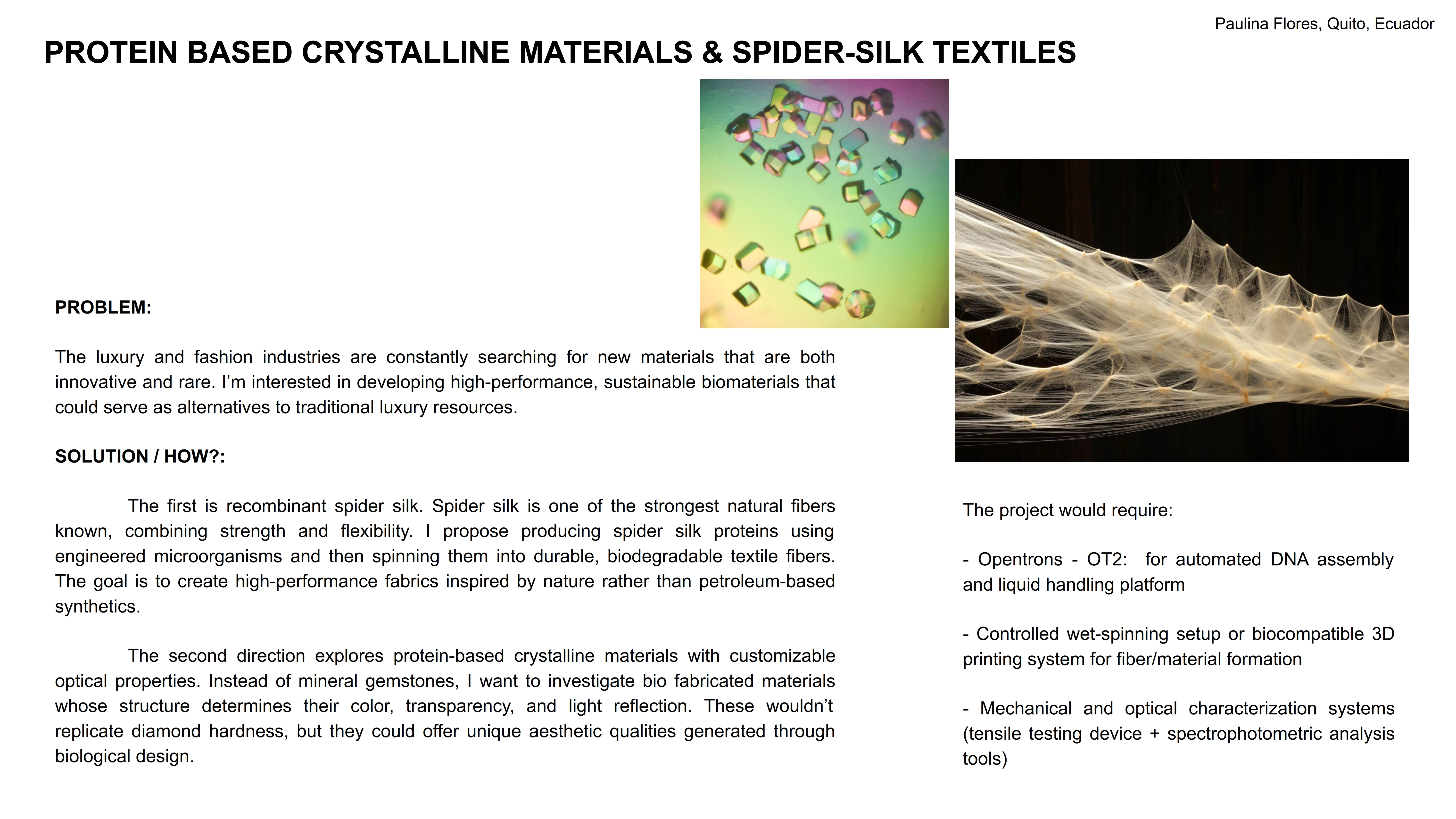
This study shows the approach for optimizing protein crystallization trials at multi-microliter scale using the Opentrons-2 liquid handling robot. The research shows that using Python scripts for precise control, the robot can mix and set up crystallization plates with a model protein - hen egg white lysozyme - and periplasmic protein from Campylobacter jejuni, a crystal used in the Snow lab as a biomaterial for nanotechnology, requiring large, consistent batches. This automation of the process can significantly reduce manual labor, costs, and improve reliability in the protein crystallization results. Opentrons uses a python programming, making it easier to set up for iterations and improvements in programming protocols.
DeRoo, J. B., Jones, A. A., Slaughter, C. K., Ahr, T. W., Stroup, S. M., Thompson, G. B., & Snow, C. D. (2025). Automation of protein crystallization scaleup via Opentrons-2 liquid handling. SLAS Technology, 32, 100268. https://doi.org/10.1016/j.slast.2025.100268
Other interesting studies demonstrate how Opentrons can be linked to other types of technology, such as 3D bioprinting. Although a 3d printer does not work with proteins in the same way as OT-2, it can print different types of labware, reducing costs and making specialized tools.
Apart from robots, there is now a collaboration between automated labs and AI assistance.